The article was updated on November 4, 2026.
According to Gartner’s latest forecast, companies will spend $1.47 trillion on software in 2026, 15.5% more than in 2025. Enterprise systems are among the slowest of these purchases to decide on, since a platform that runs payroll or procurement usually stays in the company for a decade or more.
A new enterprise system almost never starts from a clean slate. It has to exchange data with software the company has run for years, some of it built by teams that are long gone, and most of the risk in enterprise software development sits in that connection work.
In this article, we look at what enterprise software is, the main types with real examples, the enterprise software trends that matter in 2026, and the development practices that keep large systems useful for years. Read on to see what that means for your next project.
What is enterprise software?
Enterprise software is software built for organizations rather than individual users. It runs shared business processes such as finance, sales, HR and supply chain, serves hundreds or thousands of people with different access rights, connects to other company systems, and has to meet security and compliance requirements that consumer apps rarely face.
Large and complex systems can help improve the processes within the company and manage resources better. There are also more specific apps designed with a particular issue or purpose in mind.
Key characteristics of enterprise software
Most of what makes enterprise software difficult to build comes from a handful of traits that consumer apps don’t have. The table below puts them side by side.
| Enterprise software | Consumer software | |
|---|---|---|
| Users | Hundreds or thousands of employees with different roles and access rights | One person or a household |
| Data | Shared company records that several departments depend on | Mostly the user’s own data |
| Integration | Has to exchange data with ERP, CRM and other company systems | Usually works on its own |
| Security and compliance | Role-based access, audit logs, industry regulations | Standard account security |
| Lifespan | Often ten years or more | Updated or replaced freely |
| Buying decision | Several stakeholders and a long evaluation | One person, often in minutes |
How enterprise systems divide the work
A useful way to read any company’s software estate is by the job each system does.
- Systems of record store the company’s official data, such as financial records or customer accounts.
- Systems of engagement are where people work with that data, such as CRM, service desks, employee portals, and customer apps.
- Systems of intelligence sit on top of both and turn the data into reports and forecasts. More and more often, they also make routine decisions on their own.
The split matters when you plan development work. Rebuilding a system of record is a multi-year project, done in phases. A new system of engagement can often ship in a few months, as long as it reads from and writes back to the record systems cleanly.
Types of enterprise software
Enterprise software can assist on multiple levels of an organization. Generally, business apps are designed to help employees, departments, or the company as a whole.
But what kinds of systems do companies actually build? The answer largely depends on the industry. However, most enterprise software falls into one of the groups below.
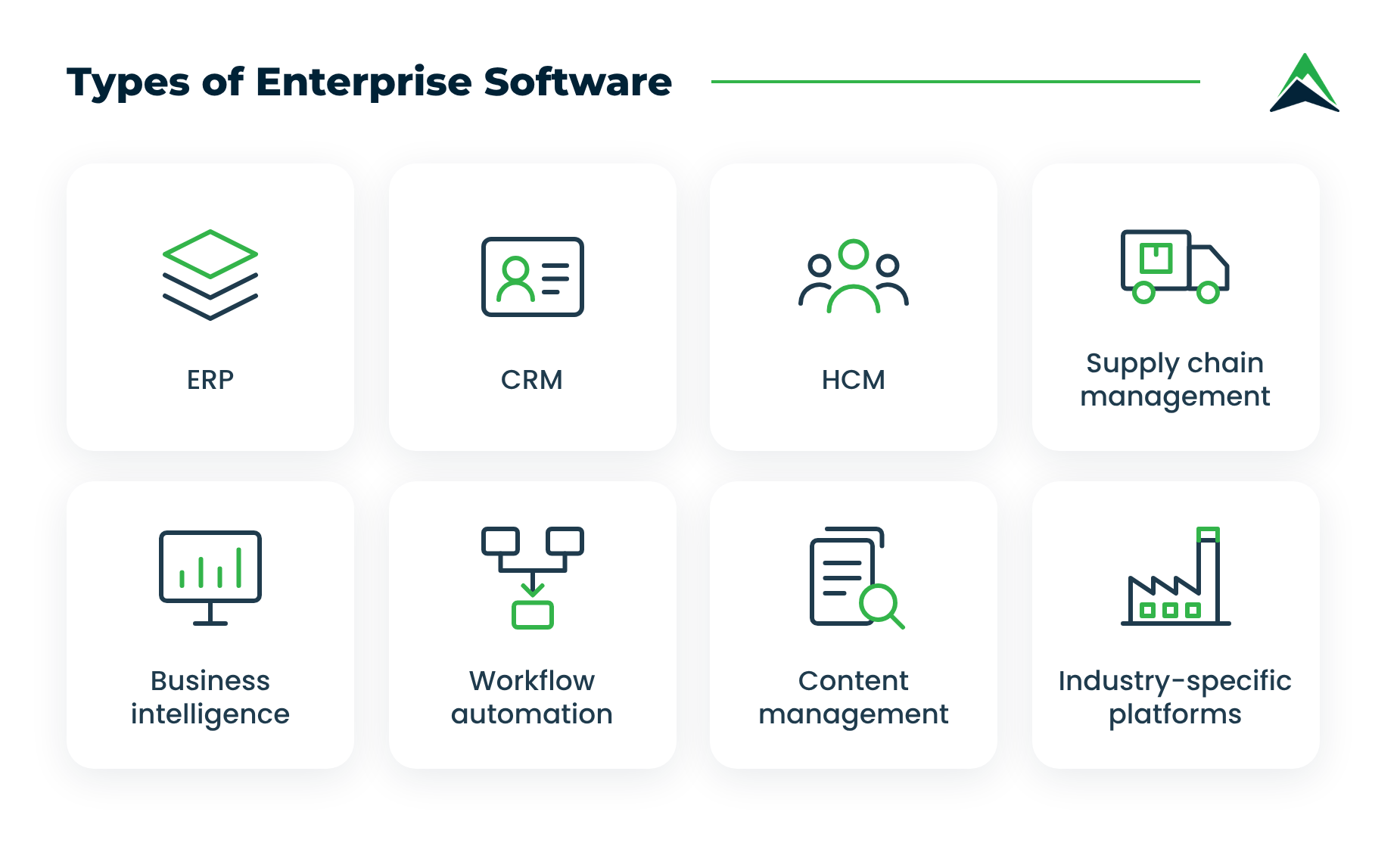
Enterprise resource planning (ERP)
ERP is the financial and operational backbone: general ledger, procurement, inventory, production planning, and order management in one database.
Enterprises often run a well-known ERP at the core and build custom modules around it for the processes the standard product doesn’t cover.
Customer relationship management (CRM)
CRM systems track leads, deals, service cases, and the full history of each account. Salesforce and HubSpot are the usual picks.
Out of the box, these platforms cover a standard sales cycle. Custom development fills the gap between that cycle and the way a particular company actually sells. The new modules and integrations are built inside the platform, so the sales team keeps working in a tool it already knows, and the CRM stays connected to the ERP and other core systems.
When that gap is too wide, some companies build a CRM of their own.
Read also: CRM Software Development Explained
Human capital management (HCM)
Enterprise applications make the hiring process and staff management more efficient. They present functionality to schedule interviews, receive feedback, send follow-up emails, track the time employees spend working, gather performance information, and automatically generate reports.
Supply chain management
For many companies, supply chain management (SCM) requires close monitoring of how raw materials are obtained, processed, distributed, delivered, and stored. Enterprise systems help organize each of these steps and smooth out the logistics.
Current SCM platforms add real-time shipment tracking and demand forecasting on top of the planning basics, and many now score supplier risk too.
Read also: Logistics Software Development: Types, Costs, and How to Build
Business intelligence and data platforms
Every enterprise system produces data, but that data on its own says very little. BI tools gather it from different departments, find patterns, and show managers what is really happening with customers and operations. These tools are only as effective as the data underneath them, so many companies clean up their data before adding AI on top.
Workflow and document automation
Approval chains, contract management, invoice processing, and the rest of the paperwork that used to travel from desk to desk. This is also where AI agents usually get their first job: they read incoming documents and prepare drafts for a person to approve.
Content management and collaboration
Contracts, policies, project notes, and internal guides all live in document management systems and company knowledge bases. For years, the main question was simply whether people could find what they needed. Now AI assistants read these documents too, so it matters much more who has access to which files and whether outdated versions get cleaned up.
Industry-specific platforms
Some systems only make sense in one sector. Examples include core banking and payment processing in finance, electronic health records in healthcare, emissions reporting in the public sector, and market intelligence platforms that collect and analyze data on competitors. Such products are almost always custom-built, since ready-made options are either missing or too generic for the job.
Benefits of enterprise software
A well-built enterprise system can help you increase revenue and save a lot of time and resources by automating various processes and optimizing the workflow. Among the most valuable outcomes are the following:
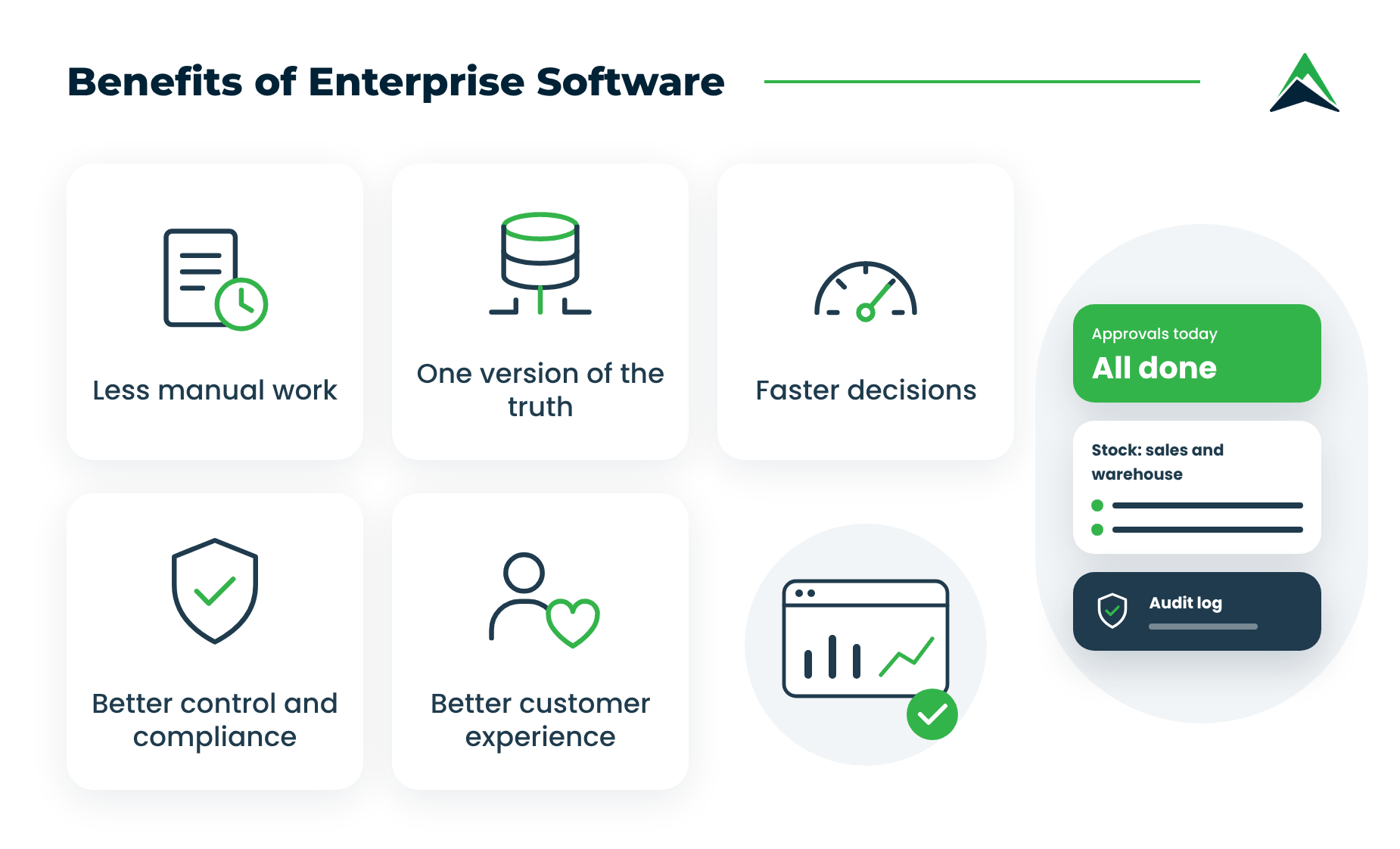
- Less manual work. Approvals and invoice matching run on their own, so employees spend their time on tasks that actually need a person.
- One version of the truth. When sales and the warehouse see the same stock figures, nobody has to reconcile two spreadsheets before a meeting, and fewer orders get promised that can’t be delivered.
- Faster decisions. Managers see KPIs and approval queues as they change, so a problem is handled on the same day rather than at the end of the month.
- Better control and compliance. Role-based access and audit logs show who did what and when. As a result, audits take less time, and data leaks become less likely.
- A better experience for customers. Portals built on the same back end let clients track their orders and pay invoices on their own, at any hour, without waiting for an account manager.
Enterprise software trends in 2026
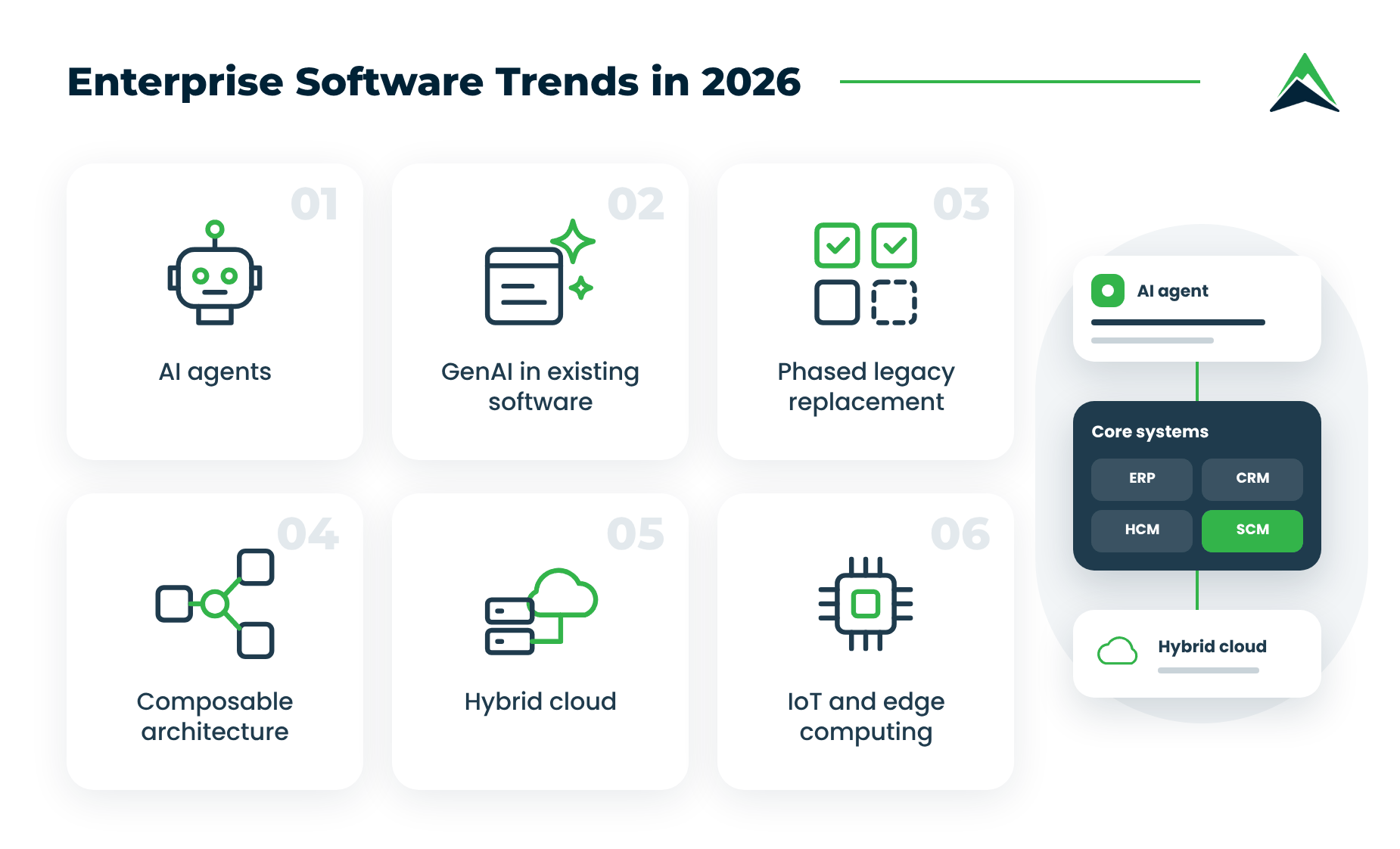
The shifts below change how enterprise software is built and run this year.
AI agents inside enterprise applications
Over the past two years, AI in enterprise software has moved from chat assistants to agents that complete tasks on their own. An agent can match incoming supplier invoices against purchase orders and pass only the exceptions to a person, while the accountant spends the morning on cases that actually need judgment.
Gartner predicts that 40% of enterprise applications will include task-specific AI agents by the end of 2026, up from less than 5% in 2025.
For a business, the practical question is where agents fit into existing workflows and who approves their work. For development teams, the focus shifts toward permissions and audit trails. Every agent also needs clear limits on what it may change.
Read also: Building an Enterprise AI Strategy: A Step-by-Step Framework
Generative AI in the software you already own
Most large SaaS vendors have added generative AI to existing products, and that changes the economics. Gartner has pointed out that GenAI features are now standard across software enterprises already run and that those features make the software more expensive.
Expect AI add-on pricing to come up at renewal time, and check which features your teams will actually use before paying for them.
Legacy systems get replaced in phases
Most enterprises still depend on systems built decades ago, and keeping them alive is expensive. In the US public sector, for example, federal agencies have typically spent about 80% of their IT budgets on operating and maintaining existing systems, according to the GAO.
Replacing such a system in one go is risky, so companies usually prefer to do it in phases. The old system keeps running payroll while new modules take over one function at a time, and each switch happens only after the new part has proven itself.
Composable and API-first architecture
It sounds technical, yet the business idea behind it is simple. The system consists of separate parts that talk to each other through well-defined interfaces. When the pricing rules change, the team updates the pricing module and leaves the rest of the system alone.
Moreover, the same services can feed the web portal and the mobile app, which saves money every time a new channel appears.
Hybrid cloud strategies
For most of the last decade, enterprises followed a simple rule: move everything to the cloud. Many of them now pay for it in monthly bills that keep climbing and in contracts that make switching providers painful. So the approach has matured.
Companies now take what’s often called a cloud-smart approach, deciding where each workload lives based on what it does. Core systems that handle sensitive data (e.g., financial records or patient information) stay on-premise or in a private cloud, where the company controls access and compliance.
Commodity workloads like email or test environments go to the public cloud, where they’re cheaper to run and easy to scale. The result is a hybrid setup that keeps options open.
The Internet of Things
IoT in a corporate environment helps automate many processes, control devices remotely, enable long-distance collaboration, and improve the efficiency of operations.
The focus has shifted to edge computing, where data from sensors and machines is processed on-site, and only the results travel to the cloud. It cuts latency and bandwidth costs in factories and vehicle fleets.
Enterprise software development best practices
A strong development team matters. Still, many of the decisions that shape an enterprise project are made by the business, long before the first line of code.
Determine your business goals
Enterprise software development should start with a necessity. Before considering your options and contacting developers, think carefully about what you wish to achieve by integrating business applications. Draft your goals and note the areas where technology can have a significant impact. Tie each goal to a number you can assess after launch, such as days to close the books or hours of manual data entry per week.
Analyze your existing software and tools
Once you know what you need to accomplish, inventorize the tools you already have. Compile a list of all software solutions that your company is currently using and pinpoint the systems you would like to replace or supplement.
It’s also a good time to analyze the impact of the applications you’re using and check how well they align with your business goals. The areas where your current tools lack in effectiveness will describe the target functionality of the enterprise software you’re planning to create.
Name one decision-maker on your side
Enterprise projects often stall while a small question waits for approval from several departments. A single product owner with the authority to make everyday decisions keeps the team moving and saves weeks over the course of the project. Ideally, this person knows the business process well and has time set aside for the role, as a side duty rarely works.
Set security and compliance requirements up front
Security is a business decision before it becomes a technical one. Decide which regulations apply to you and who should be able to see which data, then share this with the development team at the very start. Adding such requirements after the first release usually means rework and delays.
Test with a pilot before the full rollout
Launching for the whole company on day one puts every problem in front of everyone at once. A pilot with one department or location reveals issues while they are still cheap to fix. It also gives you real numbers to show the rest of the organization.
Keep ownership of your code and documentation
When an external partner builds your system, make sure the contract gives you full rights to the source code, and ask for documentation that another team could pick up. This protects you if you ever change vendors, and it makes internal handovers easier too. A reliable partner will agree to it without hesitation.
Our experience in enterprise software development
Since 2012, Eastern Peak has built enterprise software for global corporations and public institutions in many industries. Here are a few of those projects.
- Competitor monitoring platform for a global money transfer company. A web crawling engine collects financial information on competitors every day and normalizes it for analysis. On top of it, a customizable reporting dashboard with data visualization tools helps the client’s team compare results and generate reports.
- EU-wide climate action platform for city governments. The platform is used by thousands of mayors and city halls across the European Union. Each city records its current emissions and a reduction plan for the next 10 or 20 years, then reports on its progress every two or three years, while the system compares actual results with the plan.
- Big data environment for a foodservice market intelligence provider. The client serves operators in Europe and North America, and its disconnected legacy data systems limited how much data it could handle. We built a new environment that unifies and classifies all the data and moved the datasets to a cloud infrastructure, so employees can now access them remotely.
- Process management and analytics platform for a global on-demand transportation company. A cloud-based platform that manages and analyzes consumer data from multiple sources, with a custom reporting dashboard and smart analytics for the operations team.
Aside from core business systems, we build enterprise AI agents that take repetitive tasks off employees’ hands inside existing workflows. Recent examples include AI agents for legal teams and AI agents for legacy system modernization. You can learn about our approach on the AI agent development page.
How to get started?
The companies that get the most out of enterprise software treat each system as a long-lived product with an owner and a roadmap, rather than a one-off project. Enterprise software solutions have tapped into virtually all areas in business operation, from marketing to customer support and business intelligence.
Figuring out what kind of software your company needs and finding a development team can be tricky. Having extensive expertise in building custom enterprise solutions, we at Eastern Peak can guide you through the whole process and deliver a powerful application that will help your business grow.
Contact us today to get a free consultation with our experts.
Frequently Asked Questions
What is enterprise software?
Enterprise software is software designed for organizations rather than individuals. It runs shared processes such as finance, sales, HR and supply chain for many users at once, connects to other business systems, and meets stricter security and compliance requirements than consumer software.
Is enterprise software the same as ERP?
No. ERP is one type of enterprise software, usually the one that handles finance, procurement and inventory. The wider category also includes CRM, HR, supply chain and data platforms, along with custom systems a company builds for its own processes.
Is SaaS enterprise software?
SaaS describes how software is delivered, while enterprise software describes who it’s built for. Much enterprise software is sold as SaaS today. Plenty still runs on-premise or in a private cloud, and custom systems can be delivered either way.
What are the biggest enterprise software trends in 2026?
AI agents built into enterprise applications lead the list. Generative AI features in existing software come next, along with phased legacy replacement, composable architecture, and hybrid cloud.
Read also:
About the author:

Alexey Shalimov, CEO at Eastern Peak
As CEO at Eastern Peak, a professional software consulting and development company, Alexey ensures top quality and cost-effective services to clients from all over the world. Alexey is also a founder and technology evangelist at several technology companies. Previously, as a CEO of the Gett (GetTaxi) technology company, Alexey was in charge of developing the revolutionary Gett service from ground up and deploying the operation across the globe from New York to London and Tel Aviv.